![hdr_logo.png]](https://go.ninesliving.com/hs-fs/hubfs/j1640189779864/hdr_logo.png?height=40&name=hdr_logo.png)
You can quickly generate a report for one or more assets in Nines. Reports can be exported as either a CSV for data analysis or a PDF for a presentation-ready report with optional images. Once generated, the report is downloaded directly to your device and is not stored within Nines.
Create an asset report
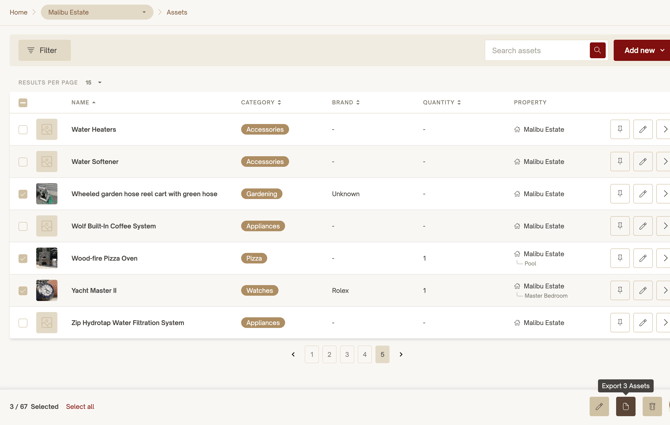
- Navigate to Assets.
- (Optional) Apply one or more Filters to narrow the list of assets you want to include.
- Select the checkbox next to each asset you want to include in the report.
- You can also use Select all to include all assets matching your current filters.
- From the bulk action toolbar, select Export Assets.
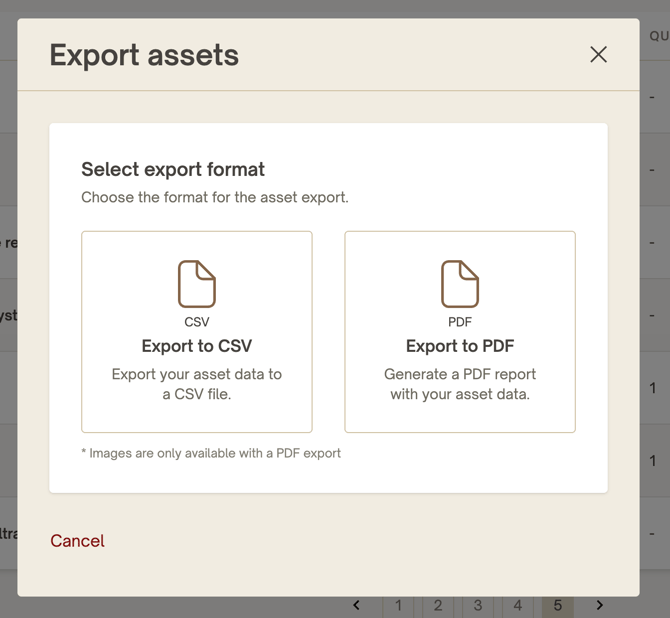
- Choose your export format:
- CSV – Exports your selected asset data to a spreadsheet.
- PDF – Creates a formatted asset report. Images are only available when exporting to PDF.
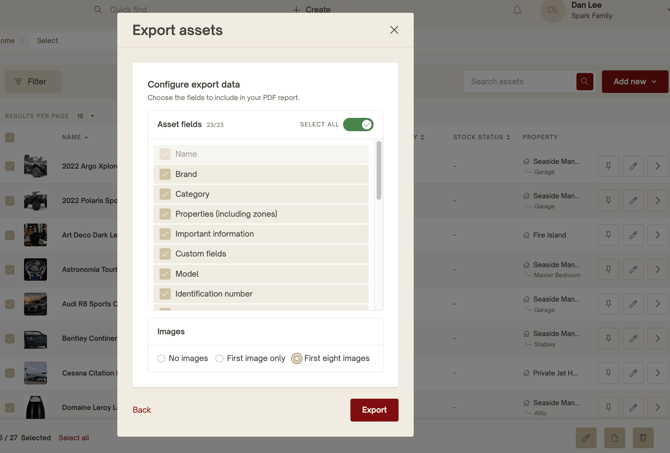
- If you selected PDF, configure your report:
- Choose which asset fields to include.
- Use Select all to include every available field if desired.
- Choose whether to include:
- No images
- First image only
- First 8 images
- Select Export.
Your report will automatically download to your computer.
Export formats
CSV
- Best for spreadsheets and further analysis.
- Exports asset data only.
- Creates a professionally formatted report.
- Select exactly which asset fields to include.
- Optionally include asset images.
- Ideal for sharing with vendors, staff, or owners. The sample PDF includes one page per selected asset with its image and selected details.
Permissions
Asset reports respect your Nines permissions. Users can only export assets and asset information they are authorized to view. If a user does not have permission to view sensitive fields, those fields can not be seen or selected during export.
Notes
- Reports include only the assets you selected.
- Applying filters before selecting assets is an easy way to generate reports for a specific property, category, brand, or other criteria.
- Exported reports are downloaded immediately to your device.
- Nines does not save exported reports, and there is no page where previously generated exports can be viewed or downloaded again.