![hdr_logo.png]](https://go.ninesliving.com/hs-fs/hubfs/j1640189779864/hdr_logo.png?height=40&name=hdr_logo.png)
You can search across Nines using Quick find or search within a specific section using its keyword search box.
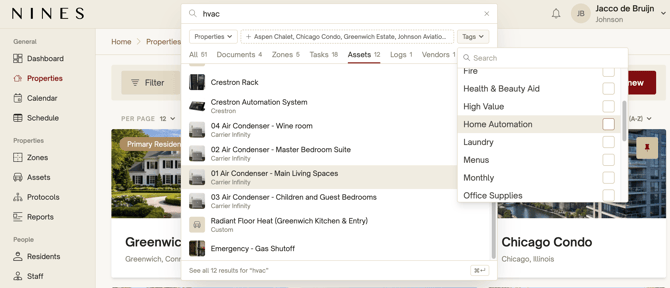
Search across Nines
Click Quick find at the top of any page and enter a keyword, such as “HVAC.”
Narrow your results using the available controls:
- Properties: select the properties you want to search.
- Section tabs: view results from a specific section, such as Documents, Zones, Tasks, Assets, or Logs.
- Tags: filter results by selected tags.
Click a result to open it, or select See all results at the bottom of the search window to view the full results for your current search.
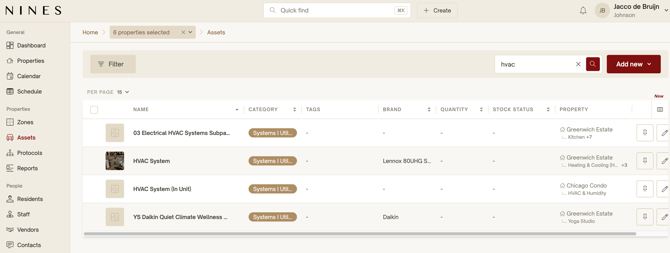
Search within a section
Open a section, such as Assets, and enter a keyword in the search box above the list or cards. Click the magnifying glass to search within that section.
You can narrow the results further using the property selector and the section’s available Filter options. To clear your keyword search, click the × in the search box.