![hdr_logo.png]](https://go.ninesliving.com/hs-fs/hubfs/j1640189779864/hdr_logo.png?height=40&name=hdr_logo.png)
User permissions in Nines control what each user can see and do, and which properties they can access. This allows you to give household members, staff, and external professionals access to only the information and features relevant to them.
User permissions consist of two separate components:
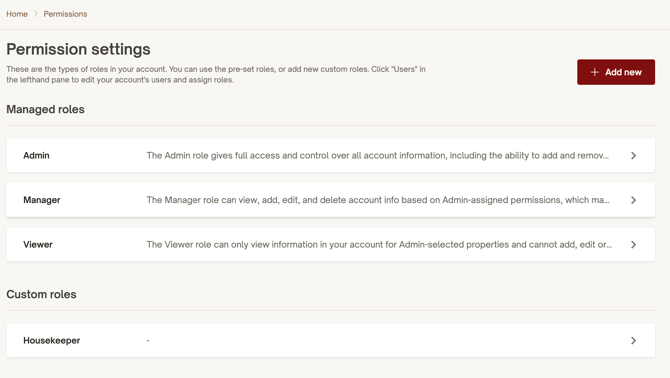
- Permission Roles — What a user can see and do. Each user is assigned a role that determines which sections of Nines they can access and what actions they can perform, such as viewing, creating, editing, or deleting information.
- Property Access — Where a user can see and do it. Each user is granted access to specific properties and their related information.
Together, these settings determine each user's experience in Nines. For example, an administrator may have full access across multiple properties, while a housekeeper may only see their assigned property and relevant tasks.
Managing user permissions
You must have the appropriate permissions to manage other users' access.
To manage a user's permissions, navigate to Household > Users in the left-hand menu and select the user you want to update.
From there, you can manage two settings:
- Permission Roles: Assign or change the user's role, including custom roles.
- Property Access: Choose which properties the user can access.
Important: A user's permission role does not automatically grant access to every property. Both settings must be configured appropriately.